Conrad Straight Nissen ’28 hasn’t come to school with a single notebook in his bag since freshman year, he said. As iPads and other forms of digital note-taking devices become more common in Upper School (US) classrooms, students and teachers discuss whether they should replace hand-written notes.
“My backpack is so light,” Conrad said. “I don’t have a single notebook in it, and it saves so much space only having to carry my iPad.” Conrad said he has never been tempted to open another app during class.
“When I’m in class, I’m very locked in. I don’t really go to other apps. The teacher can see if I do.” However, some US teachers do not allow students to take notes digitally. English Teacher Beth McNamara restricts the use of screens in her classes, except for students with official accommodations. “In the back row, I can’t see what’s on their screens. It could be the greatest set of notes ever. It could be shoe shopping. There’s no reason to risk that.” Having students handwrite notes ensures they focus on the class material, she said. “The temptation with digital note-taking is to try to get every word down as quickly as you can, so you stop thinking about what you’re writing,” Ms. McNamara said. “If you’re actually handwriting on paper, you know you can’t keep up with the pace because it takes longer to write. You have to slow down and do the writing in a way that makes sense to you.”
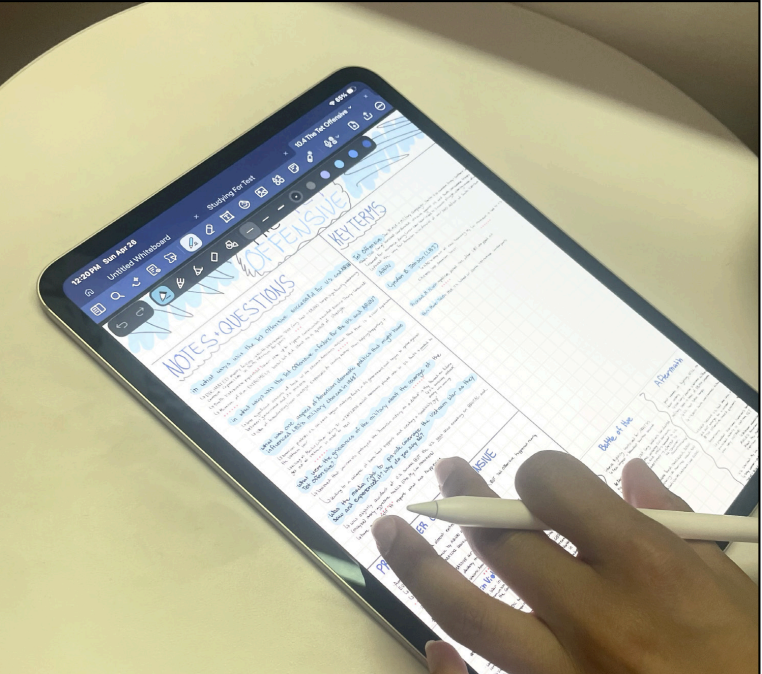
Although the iPad’s smoother surface lets her write more detailed notes, JJ Lally ’28 said the speed can affect her memory retention. “I do forget what I write a lot, which is why I make a lot of flashcards physically on paper,” JJ said. “My iPad definitely feels different from paper, which is why I practice test questions on paper, because I’m taking the tests on paper.” For JJ, her iPad has opened up new options that she can’t get with paper. “I can change all the colors of my notes and move things around without having to rewrite them,” JJ said. “Especially when I’m doing geometry, I can make shapes a lot easier, which helps with copying diagrams and saving time.”
Ayaan Nallicheri ’27 said Notability, an organizational app for the iPad, has improved his comprehension. “I think the features help me,” Ayaan said. “I can differentiate concepts so much easier. I’m writing things down in different colors, different bullet points and different page types. If I tried to do this stuff on paper, it would take too much time.”
Unlike Ayaan, US Math Teacher Mara Vatz said she prefers the organization of paper notes. “Digitally, notes get compressed into tiny files, so they’re harder to distinguish from each other,” Ms. Vatz said. “On paper, you can see them all the time. You can put two full sheets of paper side by side and constantly flip back to the information. There’s nothing that replaces just having physical copies of something.”
Lucas Ho ’28 takes notes digitally on a reMarkable tablet, a device designed solely for note-taking. The reMarkable does not have web browsing. He said the organizational benefits mirror those of an iPad. He can export documents, share notes with classmates and view them across devices. “With paper, you have to physically place everything in front of you,” Lucas said. “But with the reMarkable, you can upload documents to your computer, phone and any other device, all simultaneously. If you have multiple devices, you can view six different pages at once, all within a common online ecosystem.”
As of now, there is no school-wide policy addressing the use of digital note-taking systems.